Did your phone get hot while charging? Phone heating up on charge is a common issue both for iPhone and Android phone owners. While it may seem normal for a phone to heat up while charging, it can impact battery health, slow charging, and damage the device.
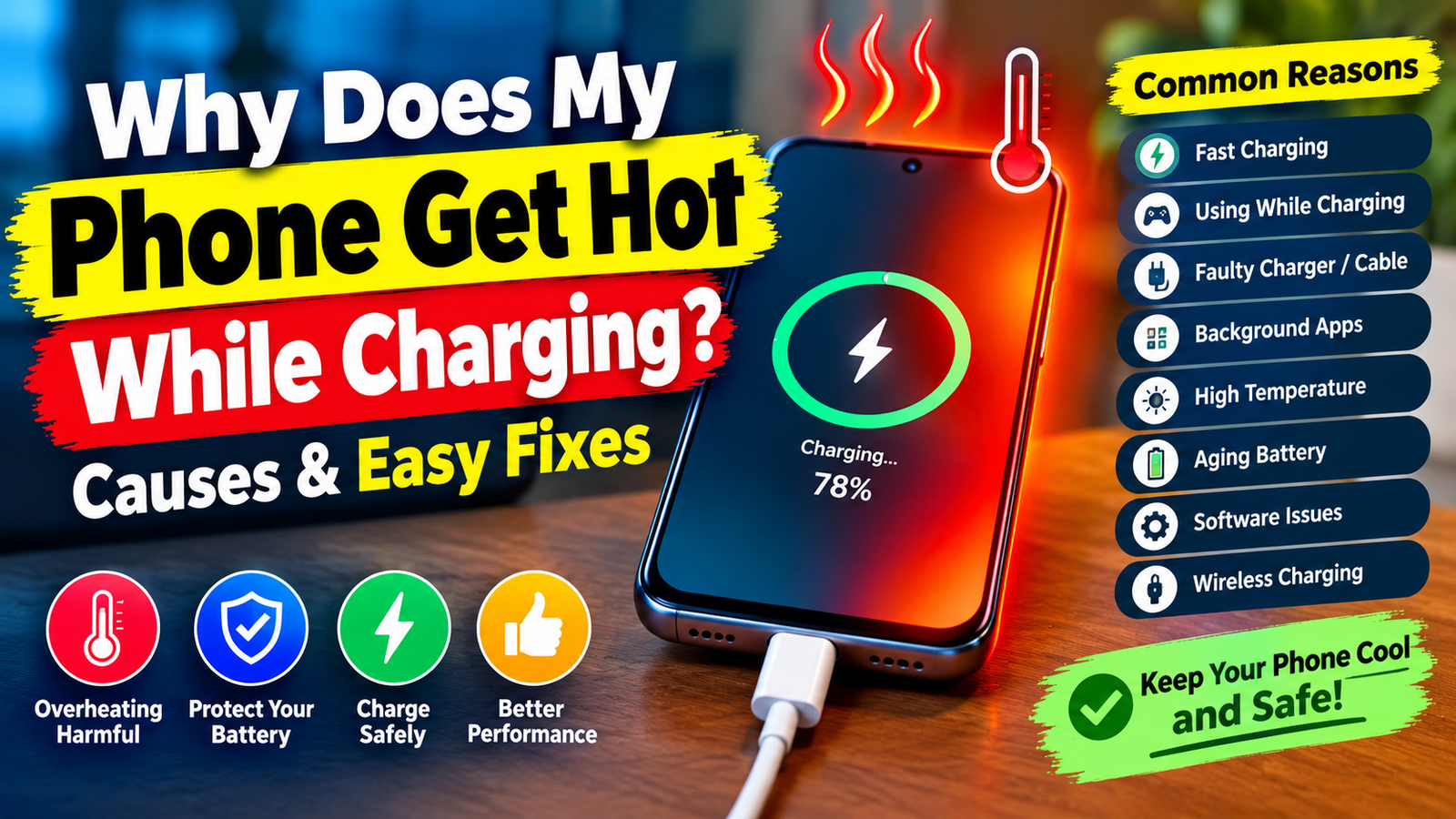
You may wonder whether or not the phone battery needs to be replaced if it gets hot while charging. Some of the reasons for a phone getting hot while charging include fast charging, apps running in the background, a faulty charger, high ambient temperature, and a software issue.
In this article, we’ll discuss why the phone is getting hot while charging, and what you can do about it.
Does the Charging Process Cause a Phone to Heat Up
As explained by TechHive , when charging a phone, it converts some of the electricity into chemical energy, which powers the phone. Modern smartphones tend to generate more heat due to processors, screens, connections, and chargers. However, you should be concerned if your phone gets hot while charging and becomes uncomfortable to touch, shows an overheat warning, or stops charging.
If your phone is hot while charging most of the time, it’s worth investigating the issue and trying any of the suggested solutions below to prevent the phone from getting hot while charging.
Fast Charging Can Lead to a Hot Smartphone
Fast charging is one of the most likely reasons why you may find your phone getting hot while charging.
Many smartphones offer fast-charging functions that allow for smartphones to get charged in record time. While fast charging seems convenient, it can cause the phone battery to heat up.
The combination of a fast charger and gaming, watching videos, and using other resource-intensive apps can push the phone to turn into a microwave.
To address this, try not to play games or use any of the aforementioned resource-intensive apps while your smartphone is charging. Additionally, if your smartphone is capable of fast charging, consider turning off the feature to prevent it from getting hot while charging.
A fast charger from a reputable company should not cause issues. The issue may arise when using a fast charger that can deliver more power than the phone can handle.
Using the Phone While Charging Severs as Another Reason
Why is the phone getting hot while charging? Using the phone while charging is another reason for the phone getting hot. Phone activities such as gaming and viewing videos require a lot of power, and smartphones generate heat when they work.
When using the phone while charging, the phone battery can heat up even more due to the combination of fast charging and the use of power-consuming apps. To see if the phone is getting hot because of the apps, simply try leaving the phone unused while it charges.
To prevent the phone from getting hot while charging, consider the following tips:
• Avoid gaming while charging
• Do not make video calls while charging
• Turn the phone screen off when the phone is not in use
• Do not run any power-consuming applications while charging
If the smartphone gets hot while charging but stays cool when idle, it means that the apps are to blame.
A Damaged or Low-Quality Charger May Cause the Issue
Can a charger cause a phone to overheat? It certainly can. A charger and a charging cable can cause a phone to overheat if they are damaged or of poor quality.
If the cable is broken or the charging adapter is not up to standards, the phone can get hot while charging. Note that the phone may only feel hot at the charging port. In other situations, the whole phone back may feel hot.
To rule out a faulty or low-quality charger, try using a different cable and charger. If the issue is resolved, you simply need to replace the old, faulty charging cable and/or phone charger with a high-quality alternative.
Do not use a broken or low-quality cable or charger to charge the phone, as it can lead to a fire hazard.
Background Apps Can Cause Phones to Heat Up
Certain apps running in the background can cause the phone to heat up. Some apps such as social media, navigation, backup, and video apps, are notorious for running in the background and consuming a lot of power.
If the apps are in use while the phone is charging, they can cause it to heat up. To ensure that apps are not causing the phone to heat up, the user should go through the list of apps that consume the most battery.
To view apps that consume the most battery on an Android phone, the user should navigate to Settings -> Battery -> Battery Usage or a similar option. They should then identify the apps that consume the most power and restrict their background activity.
On the other hand, iPhone users should navigate to Settings -> Battery and view battery usage by application. Users should avoid stopping processes from important applications and only stop the ones that seem unnecessary.
A Hot Environment Can Also Lead to a Hot Phone
A phone can also get hot while charging due to high ambient temperatures. The phone can overheat if it is left in direct sunlight, a hot car, or near a heating source.
The phone can also get hot if it is left in a poorly ventilated area or on a surface that traps heat, such as a blanket or a bedsheet. Phones with thick cases can also trap heat and lead to a hot phone while charging.
To fix it, the user should ensure that they do not leave the phone in direct sunlight or near a heating source while charging. They should also consider removing the case if the phone feels hot while charging and the case generates a lot of heat.
Users should avoid placing a hot phone in the refrigerator or freezer to cool it down because the drastic change in temperature can damage it due to condensation.
An Old or Damaged Battery Can Cause the Issue
Over time, batteries lose their ability to hold a charge. Thus, an old battery will drain faster and show other issues, such as random percentage drops and fast drainage of the battery. A damaged battery can also cause the phone to heat up.
A damaged battery can cause the phone to heat up. The issue can also be caused by a software problem, a charger, or the phone’s environment. While a hot battery will cause the phone to heat up, it does not necessarily mean that the battery has to be replaced. A number of problems can cause the phone to heat up, including the software and charger.
The following are some of the most common signs that the battery maybe damaged:
• The phone shuts down on its own
• The battery percentage drops rapidly
• The phone is unusually hot even when not in use
• The phone battery is swelling
• The phone battery cover lifts
If the battery is swollen, the user should stop using and charging the phone. They should also avoid pressing or pricking the battery. They should take the phone to a professional repair facility to replace the battery.
Software Glitches or an Outdated Operating System Can Be the Root Cause
Sometimes, software issues can cause a phone to heat up. Software issues can originate from apps or the operating system. The operating system can experience glitches that lead to the phone running a process in the background, which causes it to heat up.
The following are some of the most common ways to fix a software issue:
• Restart the phone
• Update the operating system
• Update the apps
• View battery usage and ensure that no apps are consuming an unusual amount of battery
• Delete apps that started causing the issue if they were only recently installed
Users should avoid installing unauthorized operating system tweaks and apps, as they can cause serious problems, including compromising the security of the phone.
Wireless Charging Can Cause a Phone to Heat Up
While wireless charging is convenient, it can cause the phone to heat up. The phone can get hot while charging if it is not placed correctly on the wireless charging station. The phone may also heat up due to thick cases or metal objects interfering with the charging process.
To see if wireless charging is causing the issue, the user should try charging the phone with a wired charger and see if it stops heating up. They should also try removing thick cases or other objects that may interfere with the charging process and might be generating heat. Alternatively, they can try a different wireless charging station to see if the issue is with the wireless charger.
If the wireless charger causes the phone to heat up, the user should avoid using it until they can identify the cause of the issue.
What Should You Do If Your Phone Is Getting Too Hot While Charging
If the phone starts getting too hot while charging, the user should take the following steps:
• Turn off the phone if possible
• Disconnect the charger if possible and safe to do so
• Ensure that the phone is kept in a safe place away from direct sunlight and heat
• Allow the phone to cool down on its own
• Avoid using water, ice, or a refrigerator to cool down the phone
• If the issue persists, take the phone to a professional repair facility for inspection and repairs
If the phone is swollen, hissing, smoking, or on fire, the user should avoid handling it and take any measures to put out the fire.
The user should avoid repeatedly rebooting or charging the phone if it shows signs of damage. If the phone is left in a hot environment, it can catch fire and cause personal injury. The user should seek emergency assistance if the phone is on fire.
FAQs
Why does my phone get hot while charging but not while using it?
Charging causes the phone to heat up. If the phone is getting hot even when it is not in use, the possible causes include fast charging, apps running in the background, a faulty charger, and a damaged battery.
Is it bad if my phone gets warm while charging?
It is normal for a phone to get warm while charging. Users should be concerned if the phone gets too hot while charging.
Should I turn off my phone while it is charging
Users should not have to turn off their phones while charging. However, it may be useful if the phone is getting too hot while charging or if the apps are using too much power.
Can a case cause a phone to overheat
Cases can cause a phone to overheat if they trap too much heat, especially if the phone is using fast charging or is running resource-intensive applications.
To see if the case is causing the issue, users should try removing it when the phone is safe to handle and charging.
Can overheating damage battery health
Overheating can damage the battery health, especially if it is a habit. To maintain the battery health, the user should avoid exposing it to high temperatures and ensure that it is within the recommended range.
Conclusion
If the phone is getting hot while charging, the possible causes can include fast charging, running applications, apps running in the background, a faulty charger, wireless charging, hot environment, and a damaged battery.
To resolve the issue, the user should avoid running applications while charging, view the battery usage to see which applications are consuming the most power, use a high-quality charger, and avoid hot environments while charging.
The user should also consider removing the case if it is causing the phone to retain heat. While it is normal for a phone to get warm or hot while charging, they should be concerned if it is getting too hot. If the issue persists, they should take the phone to a professional repair facility for inspection and repairs. By implementing the solutions provided above, the user will be able to prevent the phone from getting too hot while charging and extend its lifespan.